Fewer lost handoffs
Keep source records and follow-up work traceable when safety, operations, maintenance, and HR share responsibility.
Safety operations for teams that have outgrown spreadsheets
Give your safety team one connected way to investigate events, assign corrective work, coordinate maintenance, update procedures, and check whether the fix worked—across every site.
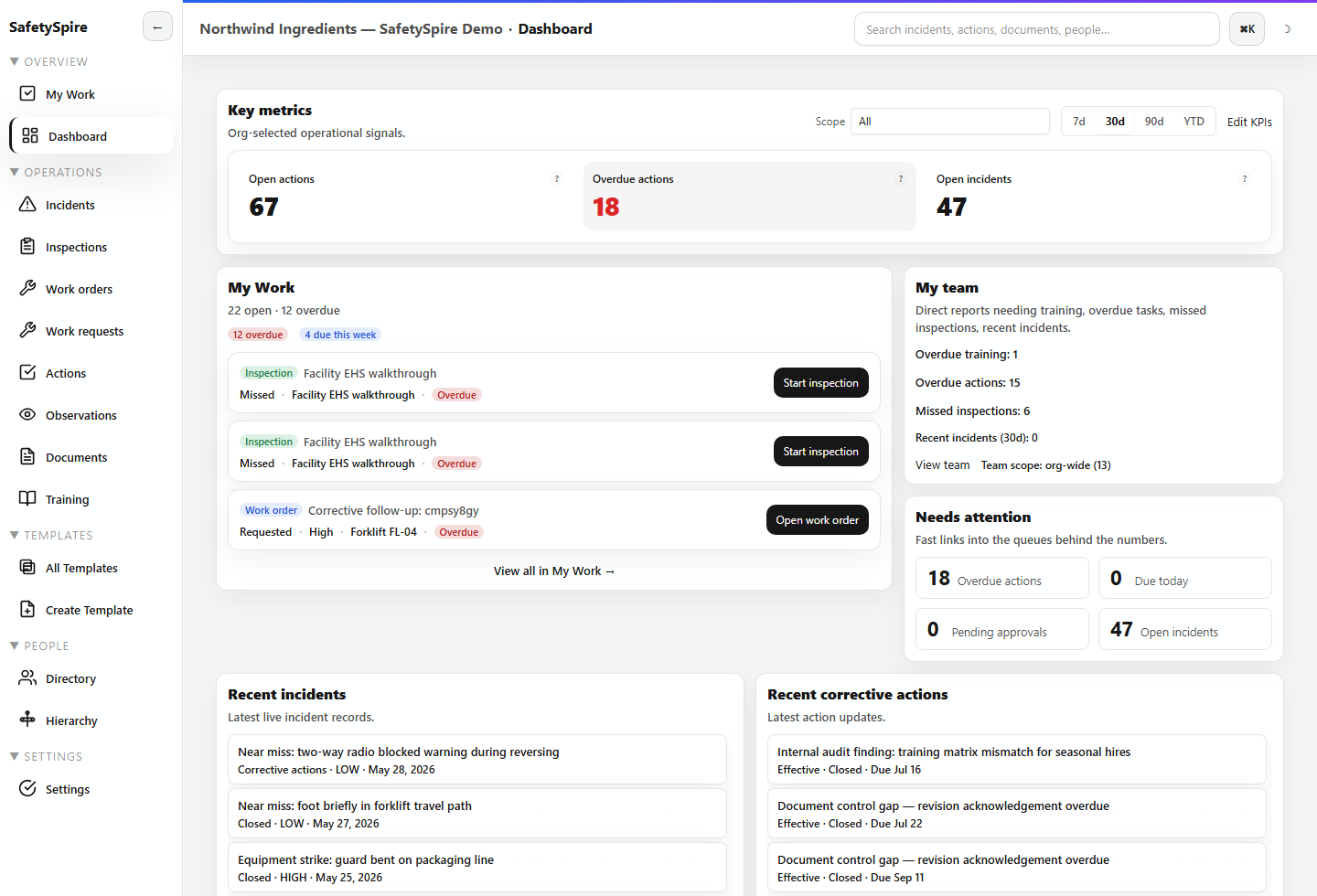
One operating loop
When an incident exposes a weak control, the response often crosses several teams. SafetySpire keeps the reason for the work, the owner, the evidence, and the next decision connected.
The investigation identifies the guarding gap. A corrective action carries the decision into maintenance. The procedure and training reflect the change. A scheduled review records whether the control is working.
Follow the incident-to-effectiveness workflow →What changes for the organization
The value comes from connecting the work your people already need to do.
Keep source records and follow-up work traceable when safety, operations, maintenance, and HR share responsibility.
Bring training, qualifications, procedures, and acknowledgments into the conversation before assigning work.
Reuse templates and operating definitions while keeping local ownership and access scoped to the right people.
Move from a dashboard measure to the records behind it, then assemble supported reports and exports.
Choose the work you own
Follow a scenario that resembles your organization, then explore the corresponding trial profile.
Work the overdue queue, investigate an incident, coordinate the fix, and check whether it held.
See the manager workflow →Carry a client engagement from scope and field findings into deliverables, client responses, and IH follow-up.
See the engagement workflow →Set common expectations, keep site ownership clear, and investigate patterns behind regional metrics.
See the multi-site workflow →Participation in the field
Capture incidents and observations, attach evidence, and use QR or location context in supported field workflows. The SafetySpire mobile app supports selected offline workflows and synchronizes queued work when connectivity returns.
Administrators can enable public or anonymous incident reporting to fit their reporting policy. Offline support varies by workflow; a walkthrough can confirm your field requirements.
Explore field capture and inspections →Control for leaders
My Work brings assignments together. Dashboards and drillable analytics help leaders see overdue work, training gaps, site performance, and the records behind recurring signals.
Consistent measures depend on consistent site setup and data. Supported exposure, scheduling, and worked-time context can add perspective to operational decisions.
Explore operational visibility →Administration and rollout
Use scoped permissions, MFA policy, audit activity, and configurable retention. Supported identity, workforce, API, and webhook connections are available with setup.
Start with a self-serve sample workspace. For complex site structures, data migration, or integrations, we can scope guided setup around your needs.
Make the next step concrete
Explore the app with realistic sample work, or bring one of your own workflows to a guided walkthrough.