A queue you can act on
My Work joins assignments across the platform. Open the underlying action, inspection, training, or maintenance record to take the next step.
For safety managers and lean EHS teams
Put the next decision, the responsible person, and the evidence in view. Follow an incident beyond closeout into the maintenance, procedure, and training changes it requires.
14 days · no credit card · sample incident and follow-up work
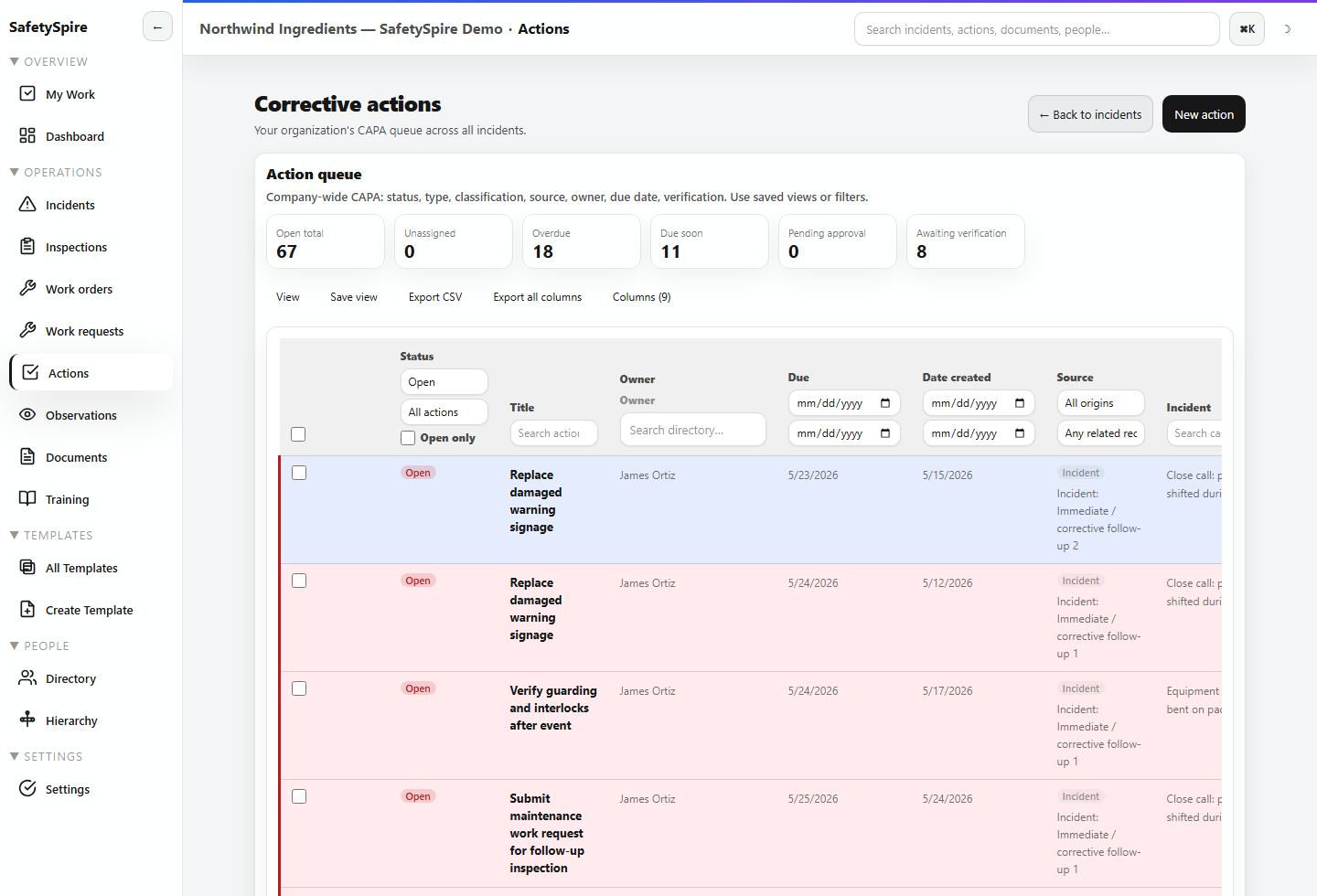
Your daily control loop
Start in My Work, move into the source record, and keep the response connected through execution and review.
My Work joins assignments across the platform. Open the underlying action, inspection, training, or maintenance record to take the next step.
Keep the source, decision, responsible person, and completion evidence together. Schedule a review instead of treating a completed task as proof the risk is resolved.
Use dashboards and drillable analytics to explain what is overdue, where readiness is missing, and what is recurring.
Product walkthrough · sample scenario
Explore the screens in order. Use the controls at your own pace; each image can be opened full size.
Step 1 of 5
Start with overdue actions, missed inspections, and your team’s readiness gaps.
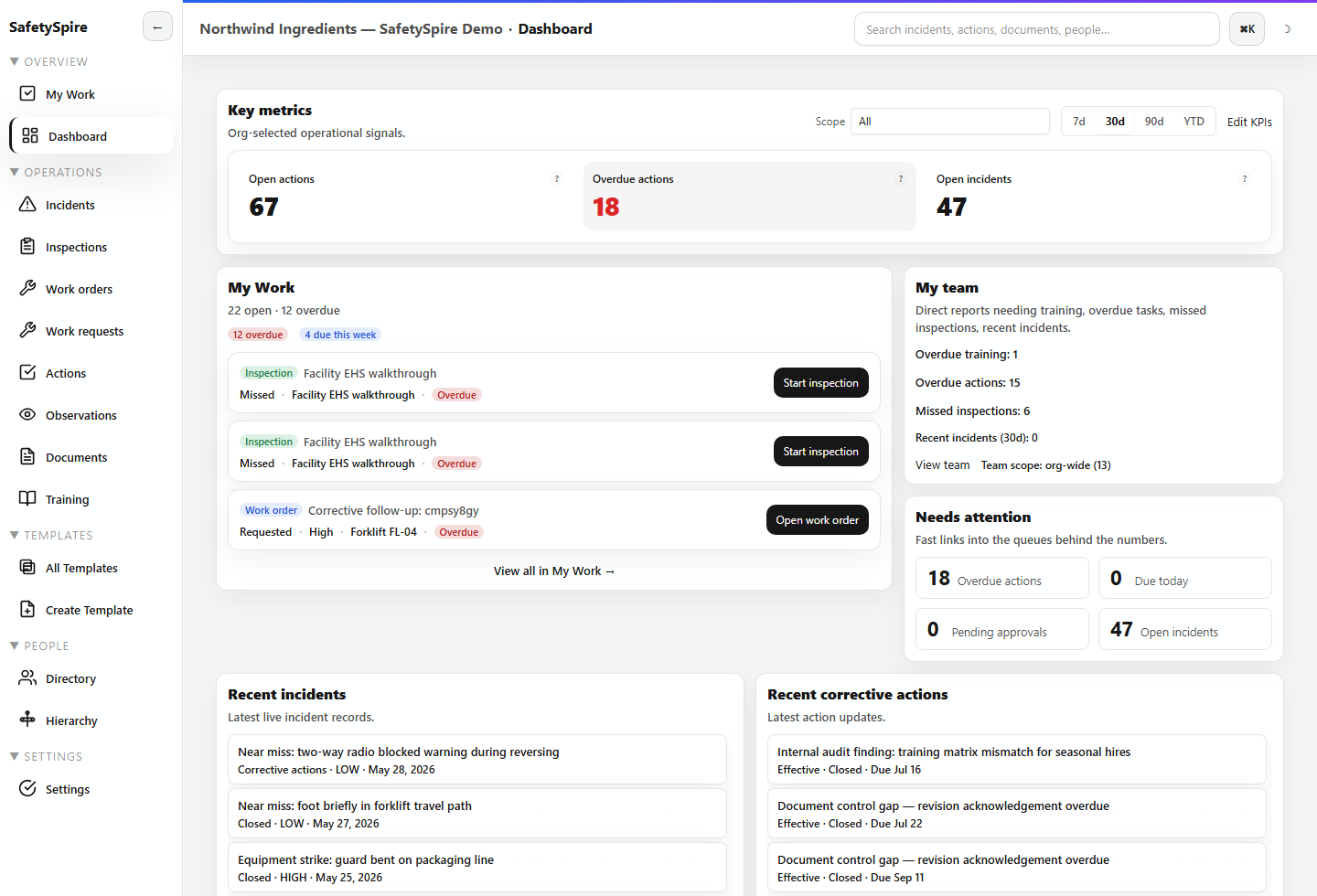
Step 2 of 5
The incident workspace organizes the report, preliminary causes, RCA, corrective actions, timeline, and closeout record.
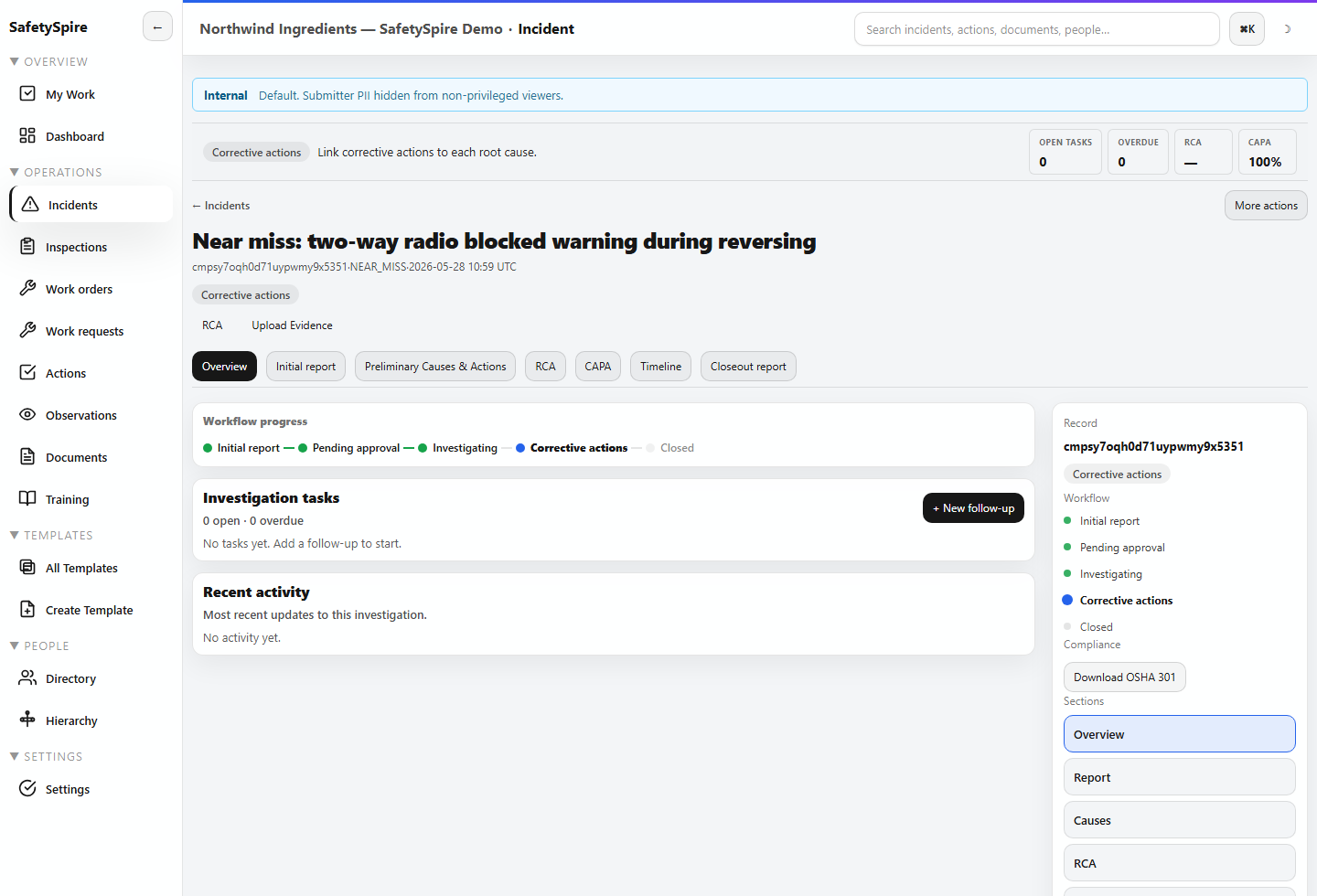
Step 3 of 5
Assign corrective work, set the due date, and keep the action connected to its source. Effectiveness reviews capture a separate judgment after the work.
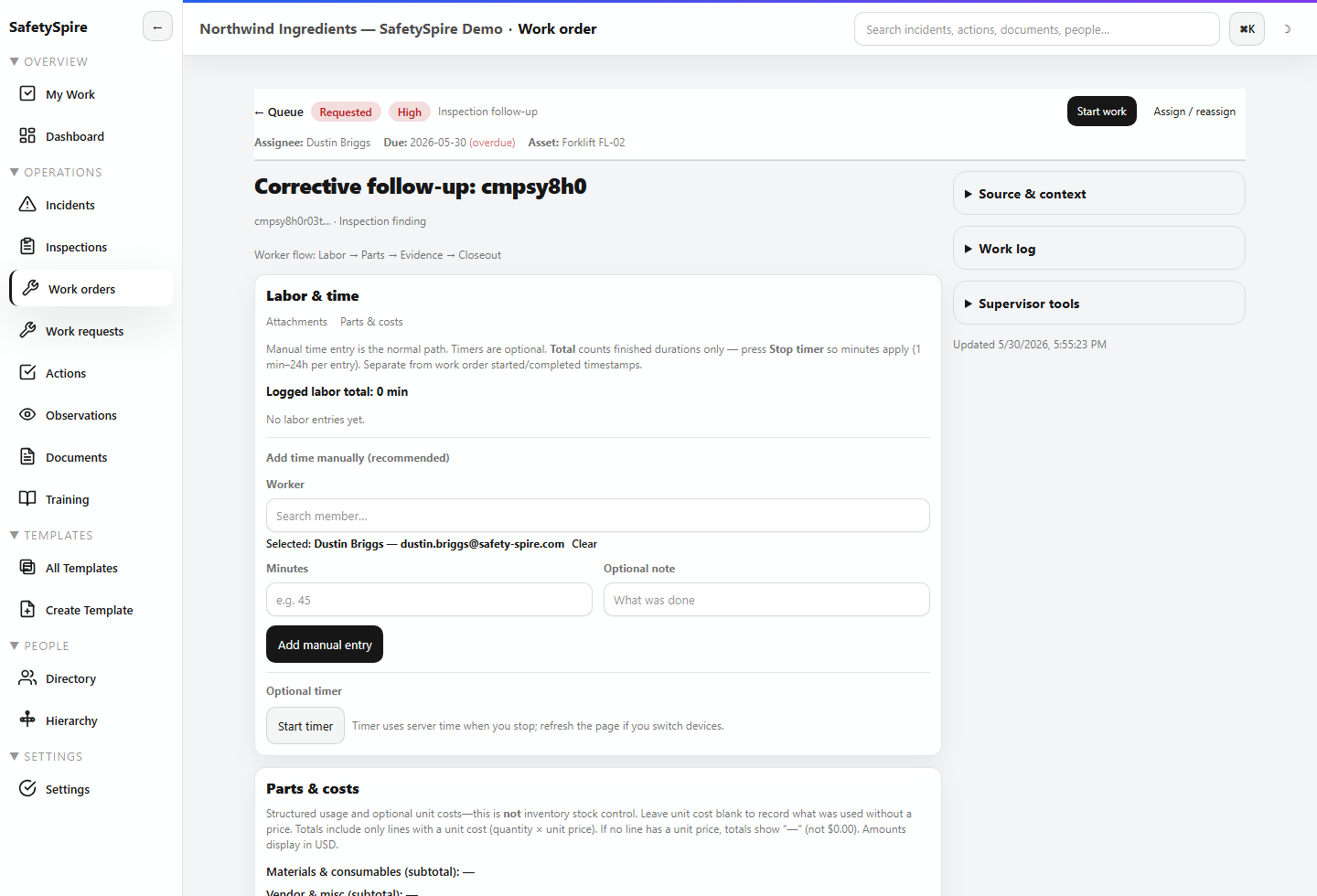
Step 4 of 5
A work order gives operational execution its own owner and evidence while retaining the safety context.
Step 5 of 5
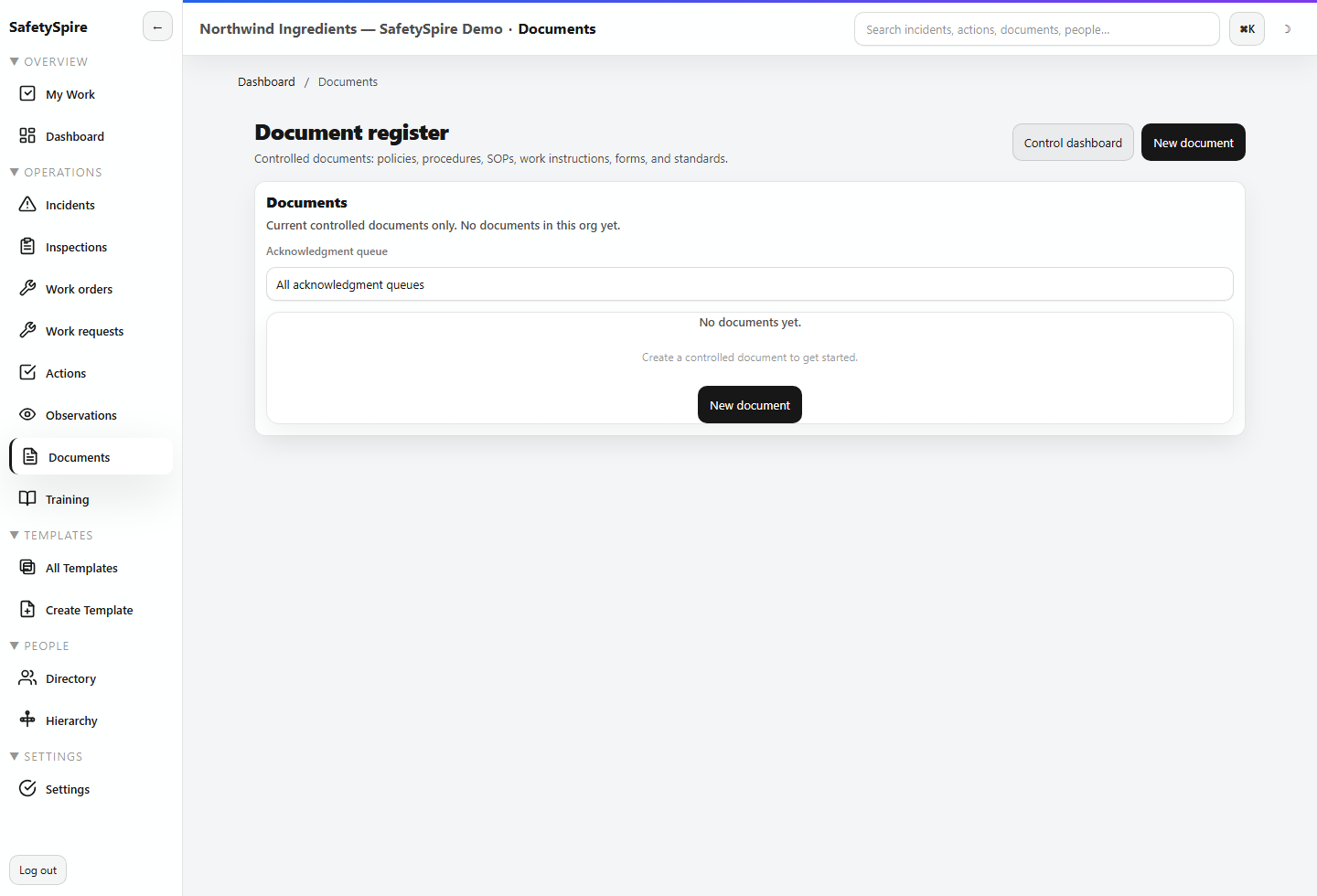
Controlled procedures and training help people use the revised process. Review the record and acknowledgment history when someone asks what changed.
Recordkeeping and workforce readiness
Maintain OSHA-relevant case data and supported recordkeeping outputs alongside controlled documents, training, qualifications, and credentials.
Your team retains responsibility for recordability decisions and the adequacy of controls. SafetySpire helps preserve the inputs, decisions, and evidence.
See training, document control, and readiness →Yes. Use the sample workspace to evaluate a single loop first, such as incident to corrective action, then configure adjacent workflows as your team adopts them.
Directory-only people can be maintained without a login. Pricing is based on active billable memberships; review the counting rules on the pricing page.
The mobile app supports field capture and selected offline workflows. Public or anonymous incident reporting is administrator controlled. Confirm the workflow and device requirements during your evaluation.
No. The app organizes evidence, responsibilities, decisions, and follow-through. Your team determines appropriate controls, recordkeeping decisions, and whether a response was effective.
Make the next step concrete
Open a manager sample workspace and follow the work through the people who own it.