Repeatable work with client context
Reuse audit programs while preserving each engagement’s scope, client, sites, and field evidence. Multi-facility projects keep local findings and shared issues distinguishable.
For safety consultants and fractional EHS leaders
Carry client scope, site evidence, findings, deliverables, and follow-up in one consulting workspace. Give clients a clear place to respond while keeping your professional review and internal notes under your control.
Client and site sample context · consulting mode · no credit card
The engagement lifecycle
Client and site records establish the context. An audit project carries that context into field runs, findings, deliverables, and client follow-up.
A consultant documents a guarding gap, assigns the finding to the right facility, reviews the client’s response, and tracks a separate IH sampling plan. The evidence stays with the engagement as decisions change.
Reuse audit programs while preserving each engagement’s scope, client, sites, and field evidence. Multi-facility projects keep local findings and shared issues distinguishable.
Prepare branded audit deliverables and action-plan exports from the project. Map supported findings to floor plans or facility locations to make the issue easier to locate.
Scoped portal access supports client responses, clarification, and disputes. Preserve internal notes separately from the customer-facing finding and retain the review history.
Coordinate sampling plans, field visits, sample lifecycle, lab-confirmed analytical setup, results, resampling, and follow-up. The consultant and laboratory retain their professional responsibilities.
Product walkthrough · sample scenario
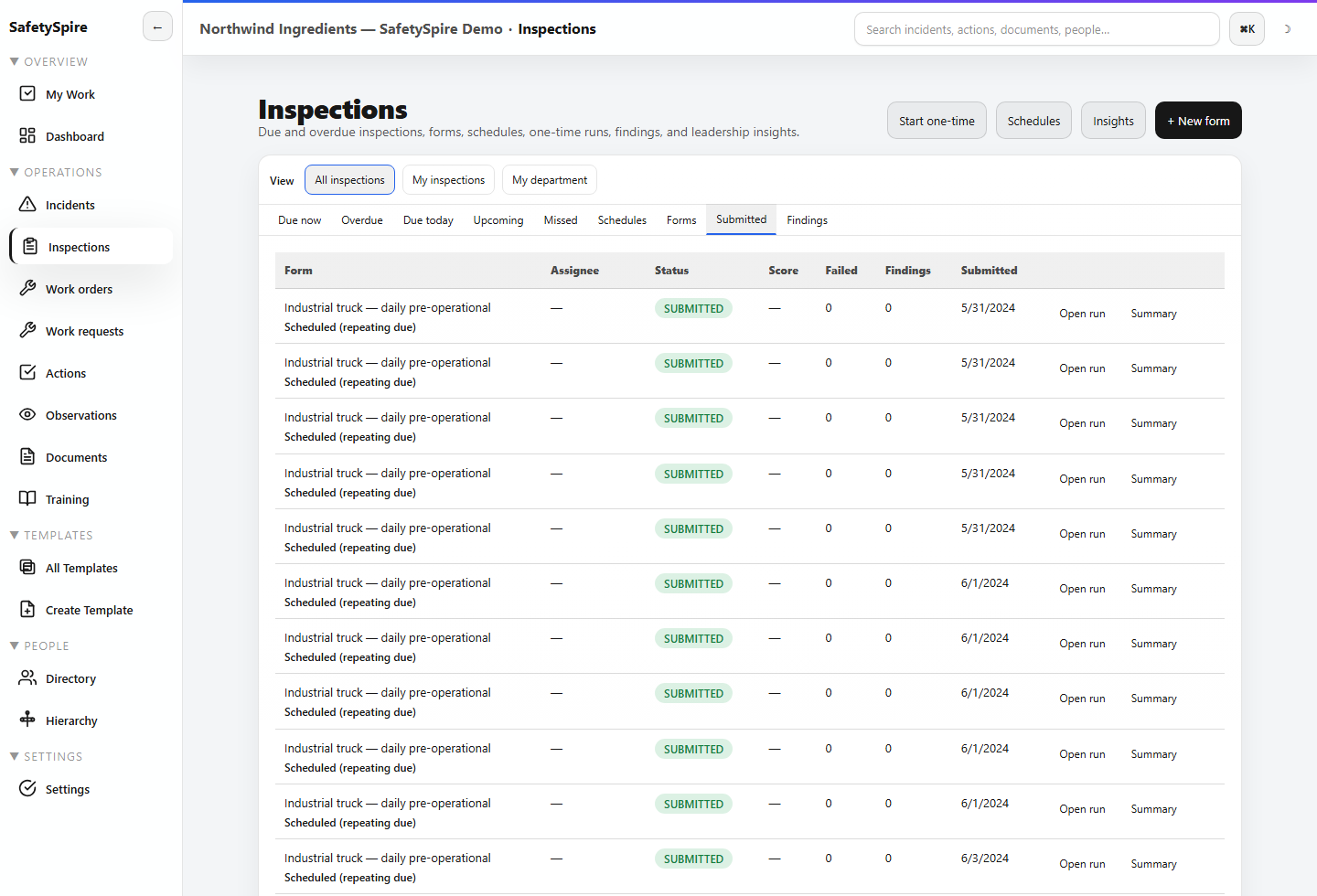
Explore the screens in order. Use the controls at your own pace; each image can be opened full size.
Step 1 of 5
Use a reusable program and place the walkthrough in the client and site context. The consulting profile adds engagement-specific project and report workflows.
Step 2 of 5
Keep the source record, supporting evidence, and investigation context accessible while reviewing the recommendation.
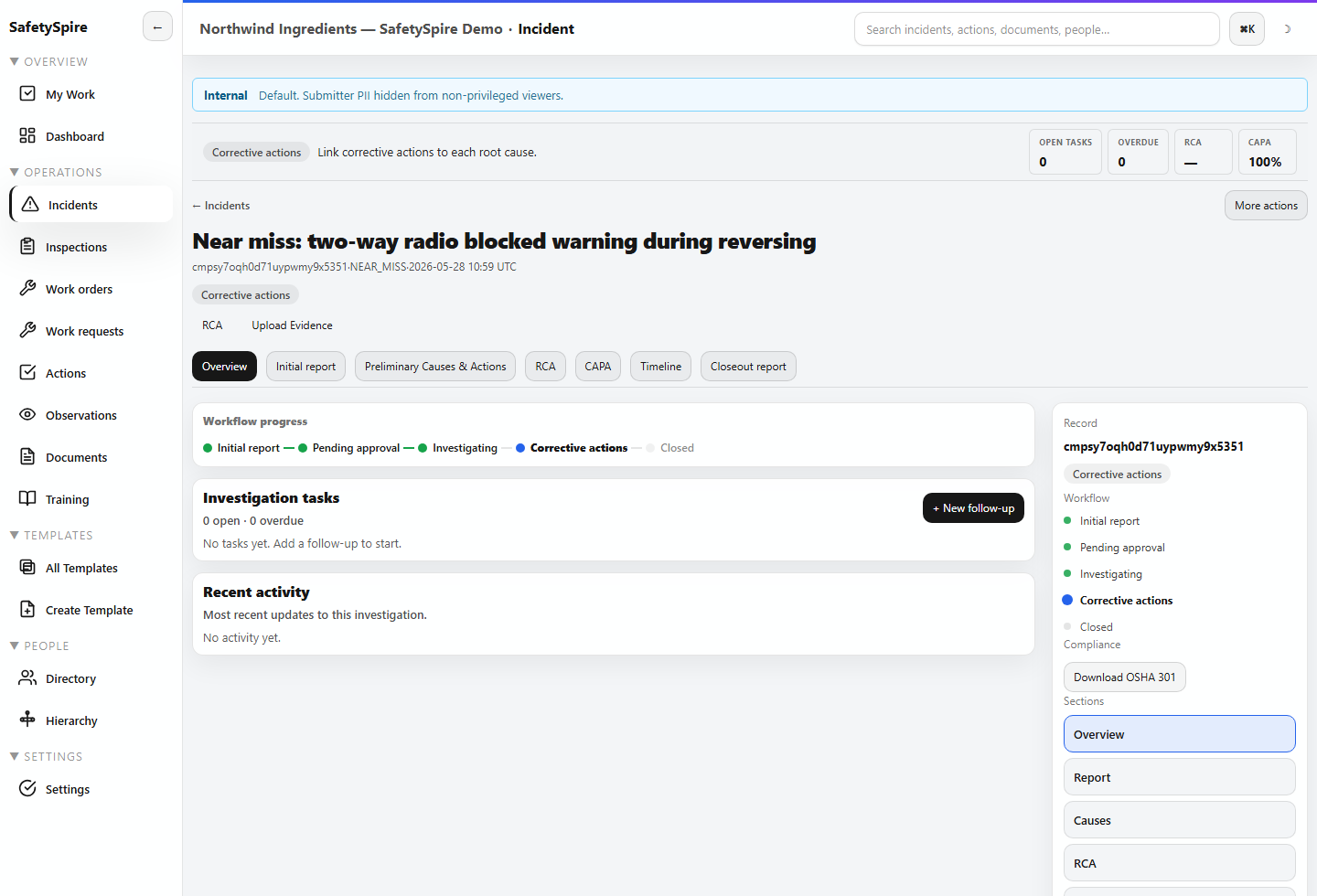
Step 3 of 5
Client action plans and internal corrective work need an owner, date, and completion evidence. Keep the response traceable to its source.
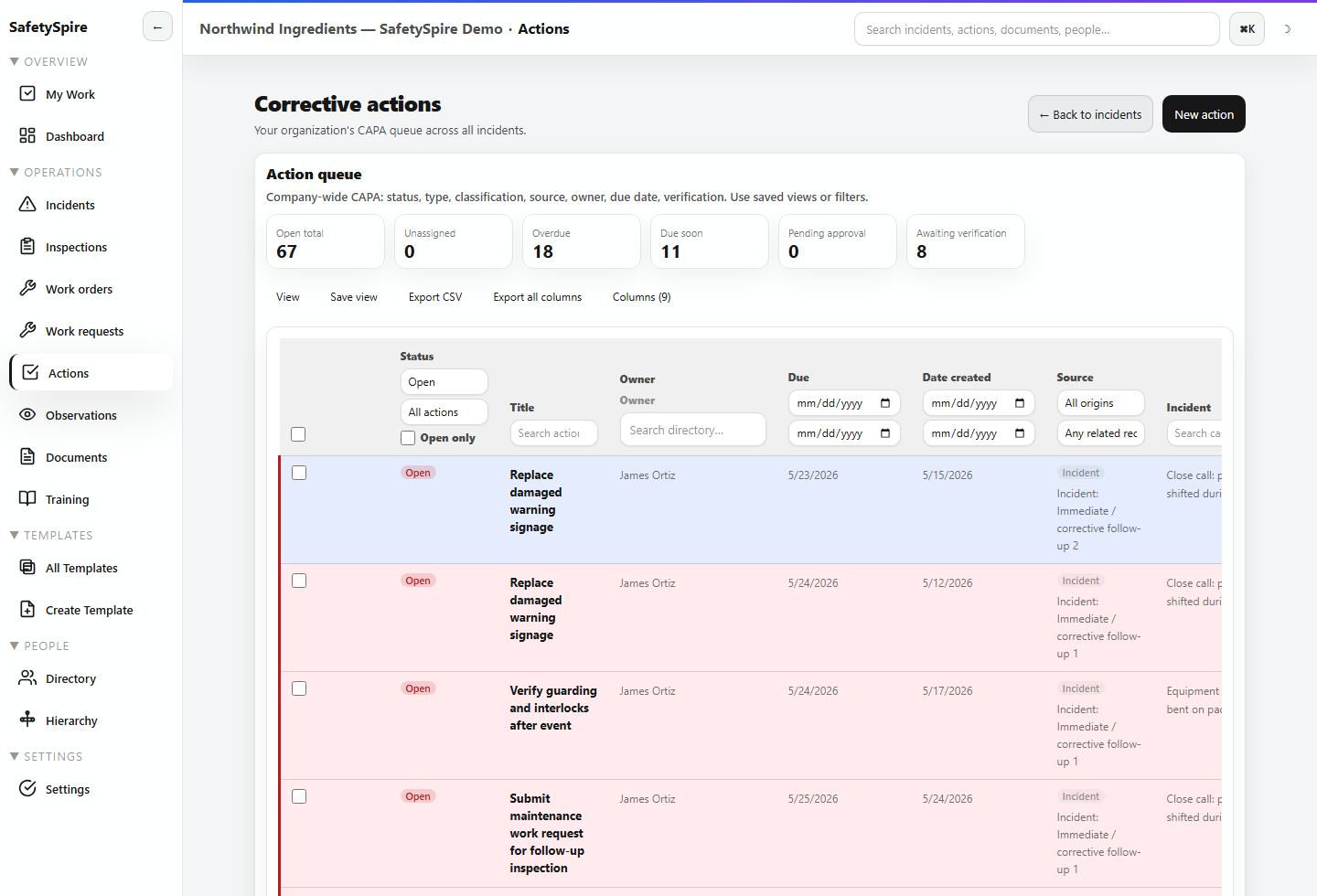
Step 4 of 5
Maintain the procedures and reference material that support the client’s operating program, with revision and approval context.
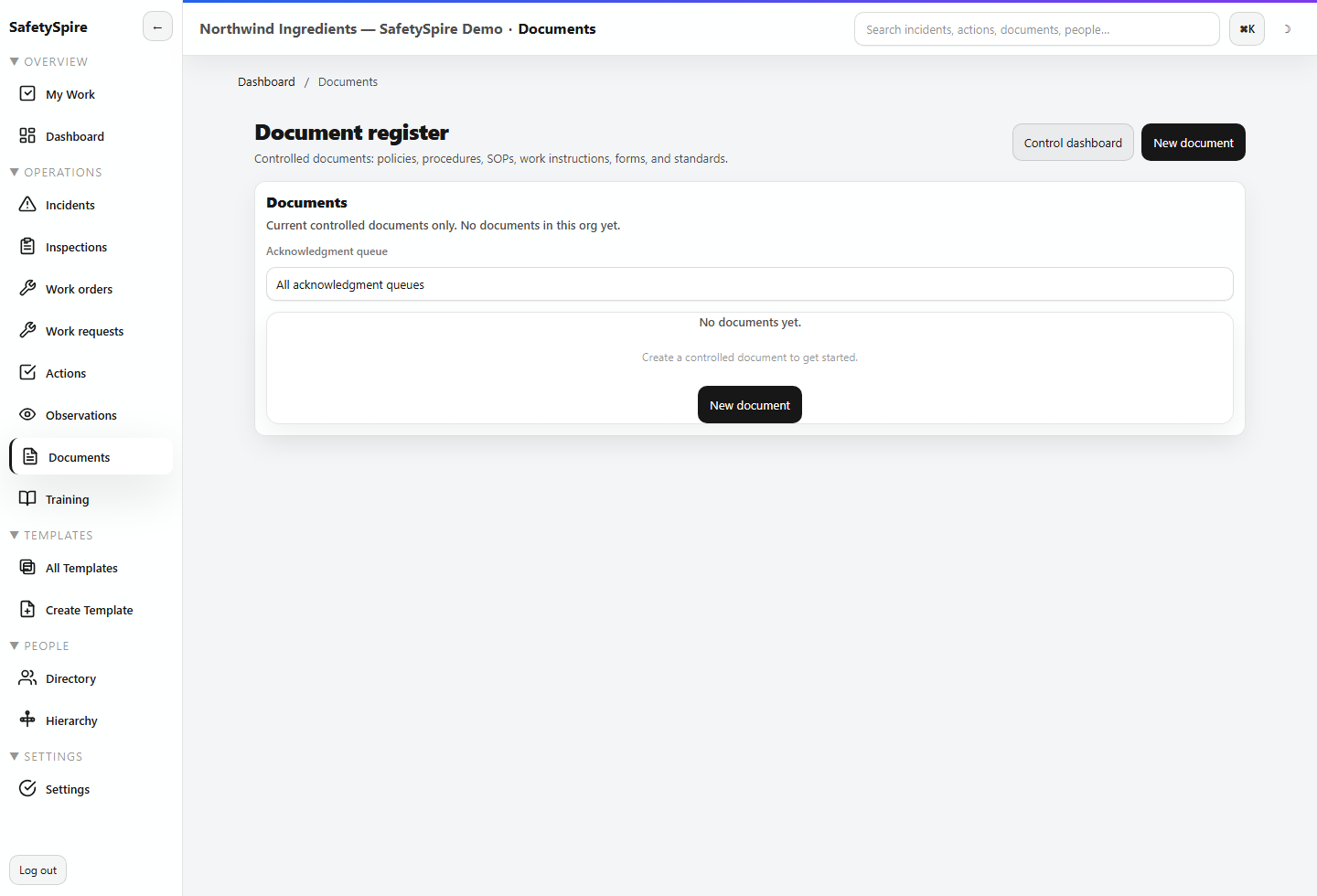
Step 5 of 5
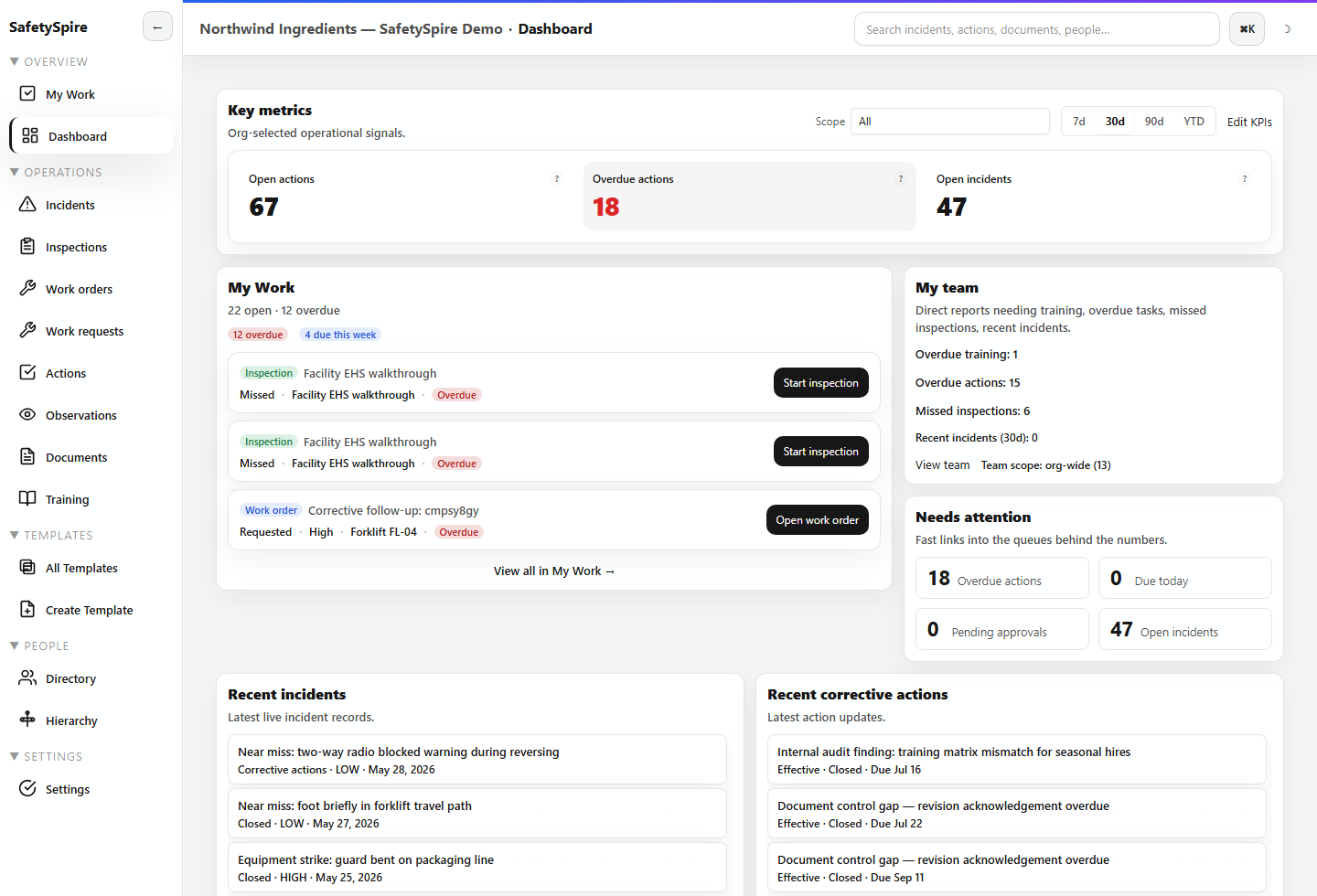
Review unresolved work and drill into the records that require the next decision. A focused walkthrough can show consulting-specific reports and portal collaboration.
Consulting workspace requirements
Consultant workflows require consulting mode. Client portal access is scoped to supported audit or IH work; it is separate from ordinary workspace membership.
Report branding, client access, integrations, and rollout requirements can be reviewed together. Portal commercial terms are confirmed during the quote; no free or unlimited portal-access promise is implied.
Explore audit and IH workflow depth →Consulting workspaces have dedicated client, client-site, and audit-project records. Confirm your intended client access boundaries and reporting needs during setup.
Supported portal workflows preserve client responses, clarification, and disputes for consultant review. Internal notes remain separate from customer-facing content.
No. It coordinates the sampling and follow-up record. Laboratory confirmation, analytical results, and professional interpretation remain distinct responsibilities.
Editable templates and programs support repeatable field work. Validate required report fields, review rules, and exports against a representative engagement before rollout.
Make the next step concrete
Explore the consulting sample profile, or show us the deliverable and client collaboration process you need.