Inspections that can be repeated consistently
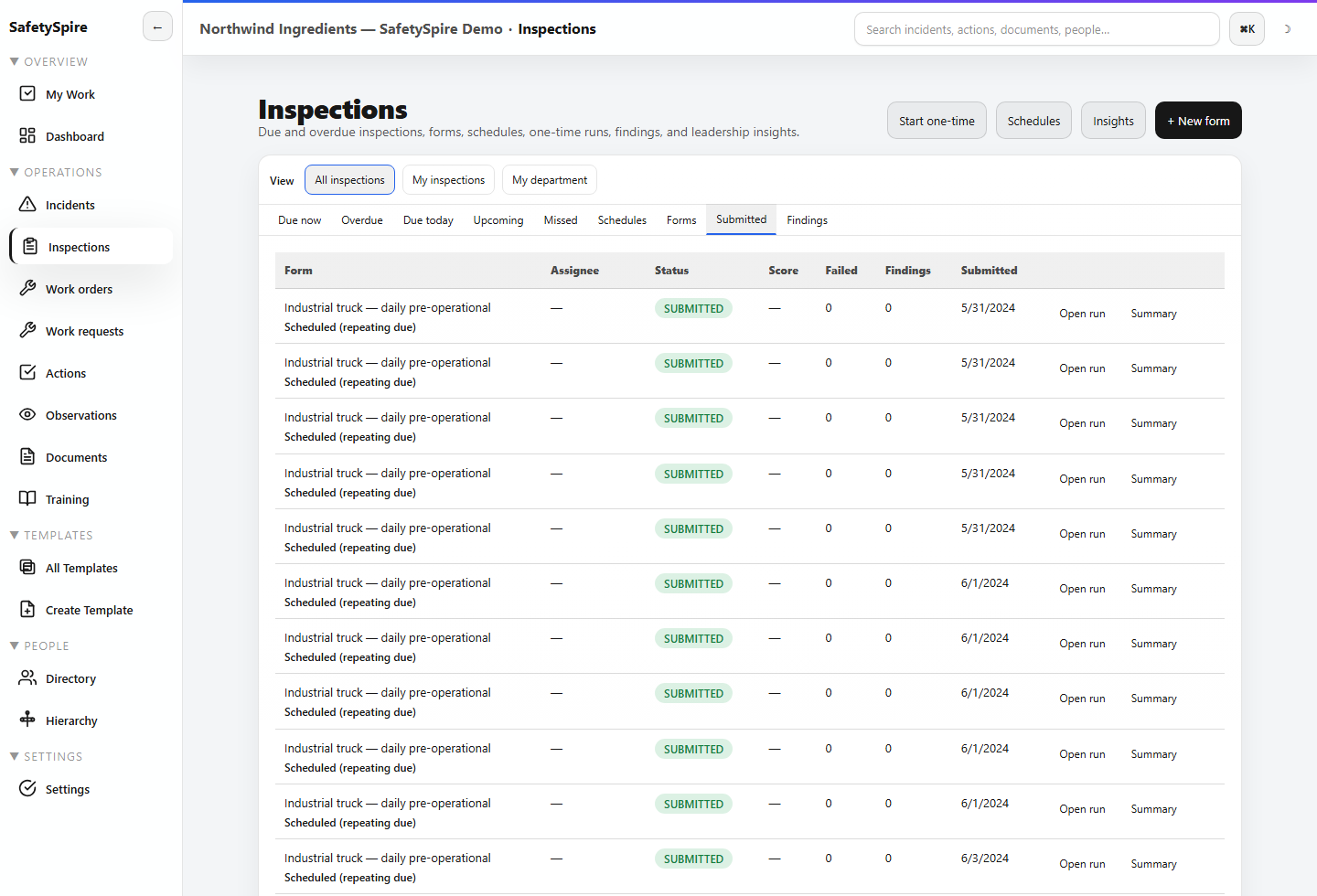
Templates, versions, programs, schedules, and runs give recurring field work a common structure. Due, missed, submitted, and finding views expose what happened after assignment.
Capabilities / Inspections, Observations, Audits and Industrial Hygiene
Standardize inspections, capture observations, manage consultant audit delivery, and coordinate industrial-hygiene sampling and follow-up with SafetySpire.
The buyer problem
A completed checklist is useful only if an important finding reaches the right person. Field evidence needs location and asset context, a review decision, and a defined path into corrective or maintenance work. Consultant engagements add another boundary: the client needs a clear deliverable and a place to respond.
Workflow depth
Explore the record, the decision, and the work that follows it.
Templates, versions, programs, schedules, and runs give recurring field work a common structure. Due, missed, submitted, and finding views expose what happened after assignment.
Capture hazards, near misses, at-risk or positive observations. Review the signal and route supported outcomes into corrective actions or work requests while retaining the source context.
Consulting workspaces add clients, client sites, audit projects, finding triage, mapped facility context, branded deliverables, and scoped client portal collaboration.
Consulting workflows coordinate sampling plans, visits, sample status, lab confirmation, result entry, resampling, and follow-up. They support the professional workflow rather than replacing the laboratory or consultant.
Illustrative workflow
A walkthrough identifies a machine-guarding gap and an exposure question. The finding enters an owned response, while the IH question becomes a sampling plan with a scheduled visit. The client can review the relevant deliverable and supply a response for the consultant to evaluate.
Inputs include reusable programs, inspection answers, observations, photos, assets, location context, client scope, and sampling requirements. Outputs include findings, work orders or corrective actions, audit deliverables, client responses, and IH follow-up records.
Configuration and fit
Automatic follow-up requires configured failure policies. Public or anonymous reporting is administrator controlled. Mobile offline coverage is workflow specific. Audit client portals, branded audit delivery, and IH workflows require consulting mode; map features are facility context, not GIS or CAD authoring.
Make the next step concrete
Use a sample workspace to follow the connections, or bring a representative process to a walkthrough.