Assets and maintenance with safety context
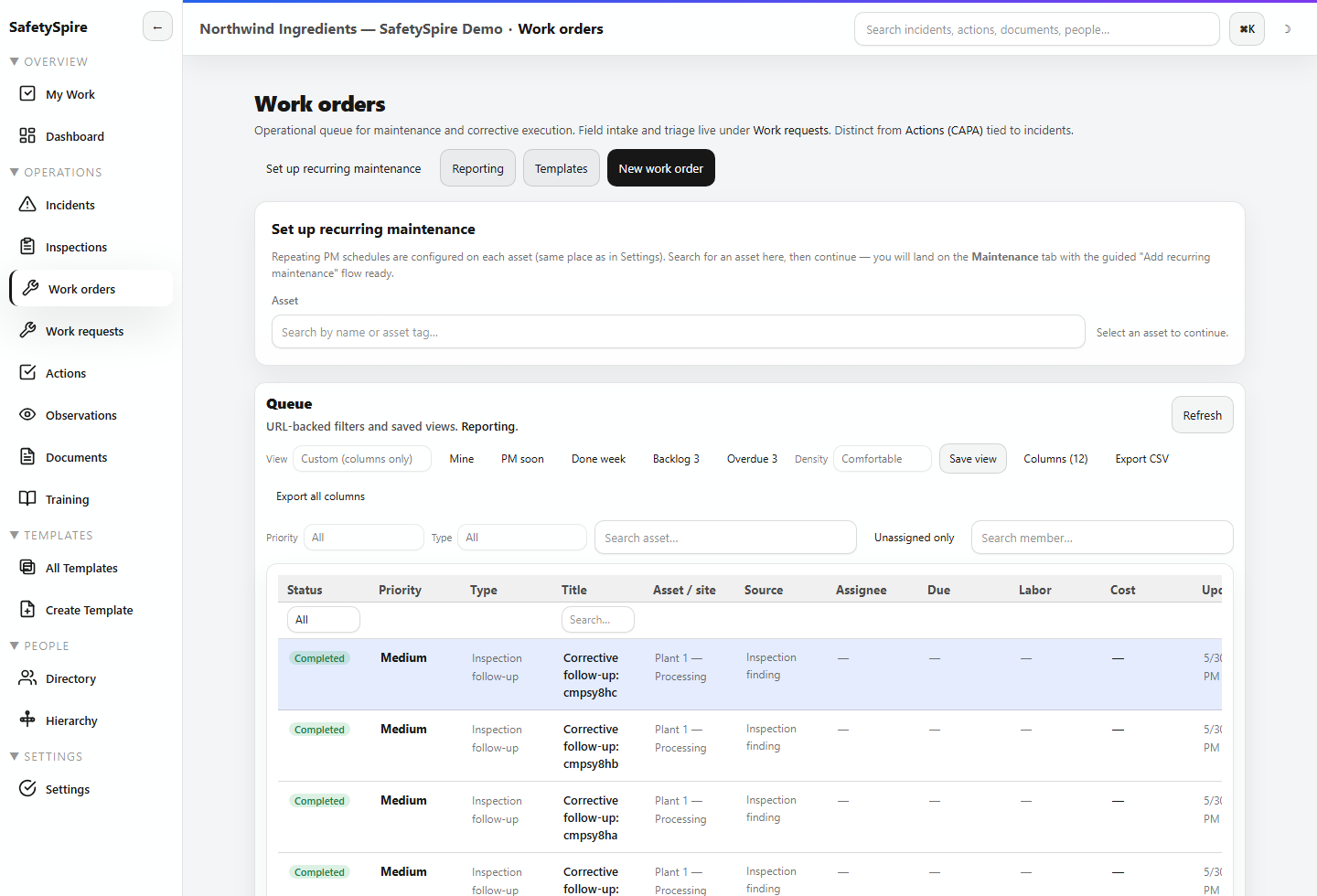
Maintain asset records, work requests, preventive maintenance schedules, and work orders. Supported inspection and source links help retain why the work exists and what evidence is needed.
Capabilities / Assets, Work Orders, Analytics and Multi-Site Control
Manage assets and maintenance, scope access across sites, and drill from SafetySpire dashboards and analytics into the underlying operational records.
The buyer problem
A regional view loses value when each site defines the work differently or when a summary cannot be traced to the source. Safety and maintenance teams need shared context, local ownership, consistent measures, and a way to investigate what is overdue or repeating.
Workflow depth
Explore the record, the decision, and the work that follows it.
Maintain asset records, work requests, preventive maintenance schedules, and work orders. Supported inspection and source links help retain why the work exists and what evidence is needed.
Use nested operating structure and scoped access to align people with the work they own. A regional standard can coexist with site-specific assignments and local responsibility.
My Work, dashboards, saved analytics views, and scorecards help teams move from a summary into the underlying records. Repeated signals become something to investigate with context.
Supported scheduling, worked-time, training, and exposure information can inform operational decisions. Coverage is workflow specific; the platform does not imply payroll or universal exposure modeling.
Illustrative workflow
Two sites report similar mobile-equipment near misses. Their assets, observations, incident context, and local work remain separate. A regional leader compares consistent measures, opens the source records, and coordinates a common control review while each site retains ownership.
Inputs include site structure, assets, requests, inspections, incidents, owners, schedules, training, and supported worked-time or exposure context. Outputs include accountable maintenance, source-linked records, site comparisons, drillable measures, and management decisions.
Administration and integrations
Scoped permissions, MFA policy, audit activity, and configurable retention support control over who can see and do what.
Enterprise identity, SSO, SCIM, and HRIS workflows are available with setup. Review provider compatibility, provisioning rules, and the intended deployment during evaluation.
Connect supported workflows through APIs and webhooks with setup. Confirm authentication, field mapping, event semantics, and ownership before rollout.
No security certification or universal integration coverage is claimed here. Ask us to demonstrate the controls and supported connection your evaluation requires.
Configuration and fit
Useful comparisons depend on consistent definitions, scope, time windows, and sufficient data. Integrations require review of the specific source system and deployment. Do not assume a named connector or automatic migration without confirming scope.
Make the next step concrete
Use a sample workspace to follow the connections, or bring a representative process to a walkthrough.